

DeepL offers a variety of ways to retrieve usage data so you can keep track of character and minute consumption and associated costs. This guide walks through all of the ways you can get your DeepL API usage data.Documentation Index
Fetch the complete documentation index at: https://deepl-c950b784-retrieving-usage-data-how-to.mintlify.app/llms.txt
Use this file to discover all available pages before exploring further.
Character and minute consumption data on the “API Keys & Limits” tab, the “API Usage” tab, in API key-level CSV exports, and in the Admin analytics API is available up to and including the previous UTC calendar day. For example, on 19 May 2025, data would be available up to and including 18 May 2025.We recommend the
/usage endpoint (docs) to see near-real-time character and minute consumption data.Choosing a data source
| Data source | Scope | Time range | Data freshness | Interface |
|---|---|---|---|---|
| API Keys & Limits tab | Per API key | Current usage period only | Previous UTC day | Admin area UI |
| API Usage tab | Account total (plus yearly-to-date on yearly plans) | Current usage period (and yearly period) | Previous UTC day | Admin area UI |
| API key-level CSV export | Per API key | Custom or preset ranges up to 4 months, optional grouping by day | Previous UTC day | CSV download |
/usage endpoint | Account total | Current usage period only | Near-real-time (within minutes) | REST API |
| Admin analytics API | Per API key or per custom tag | Custom date range, optional grouping by day | Previous UTC day | REST API |
/usage endpoint for programmatic near-real-time quota checks, and the Admin analytics API for programmatic reporting and cost attribution via custom tags.
Directly in the admin area UI
When you are signed into your account, there are two tabs that contain API usage data.API Keys & Limits tab
The API Keys & Limits tab shows API key-level character and speech-to-text (STT) minute consumption for the current monthly usage period only.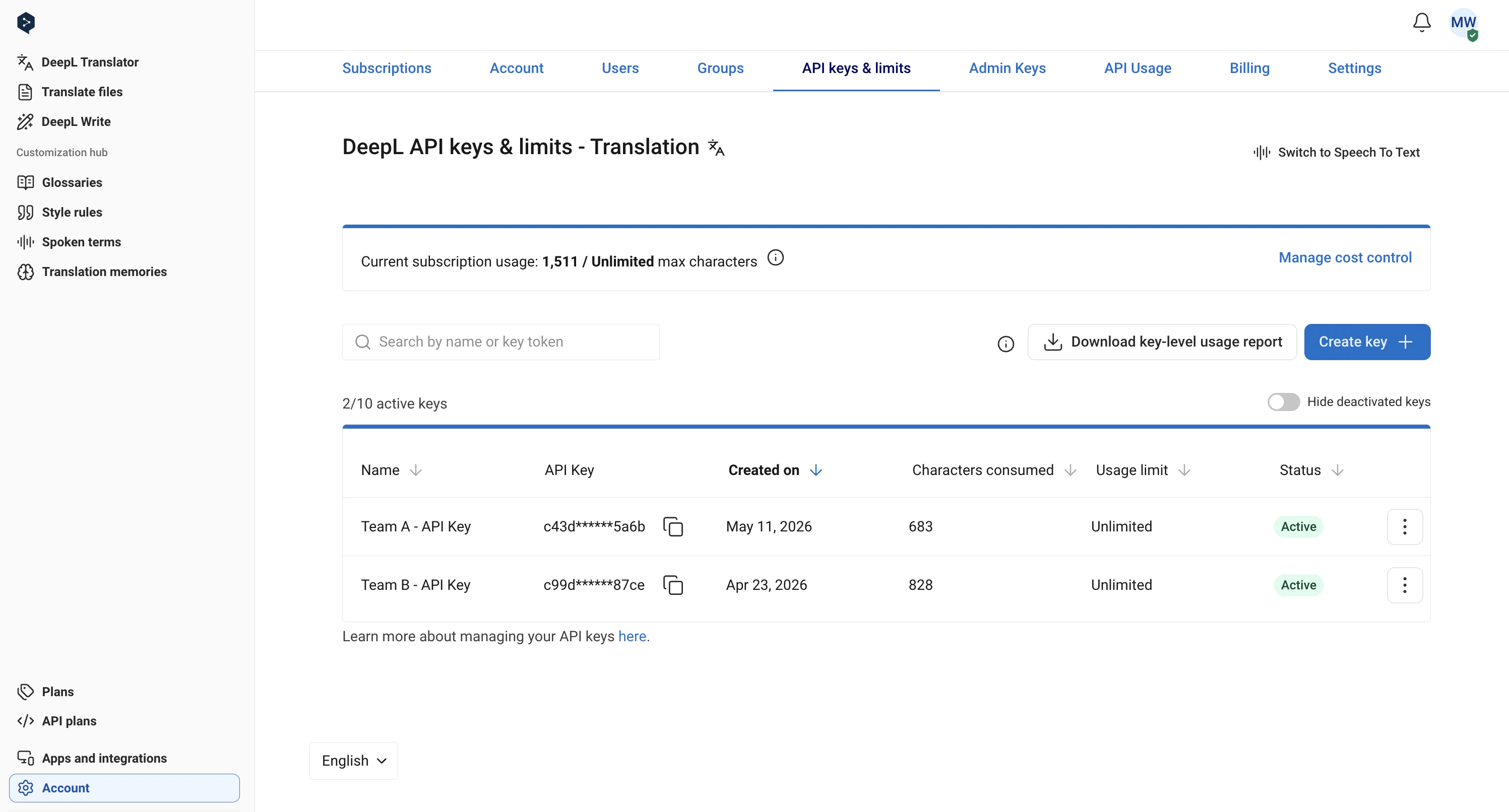
API Usage tab
The API Usage tab shows total character and STT minute usage for the current monthly usage period, and if you’re on a yearly plan, it shows usage to date for your yearly billing period, too.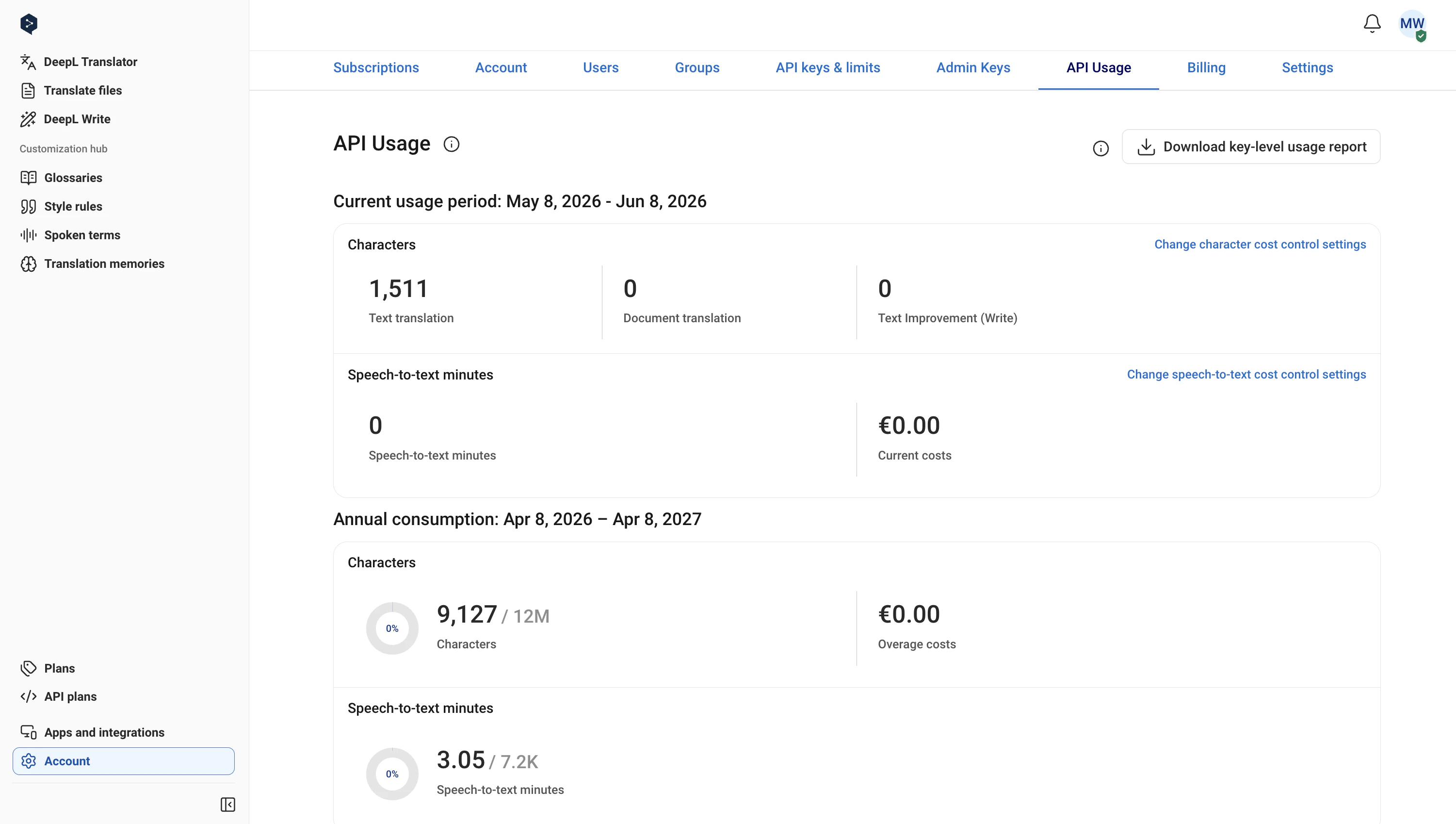
CSV exports
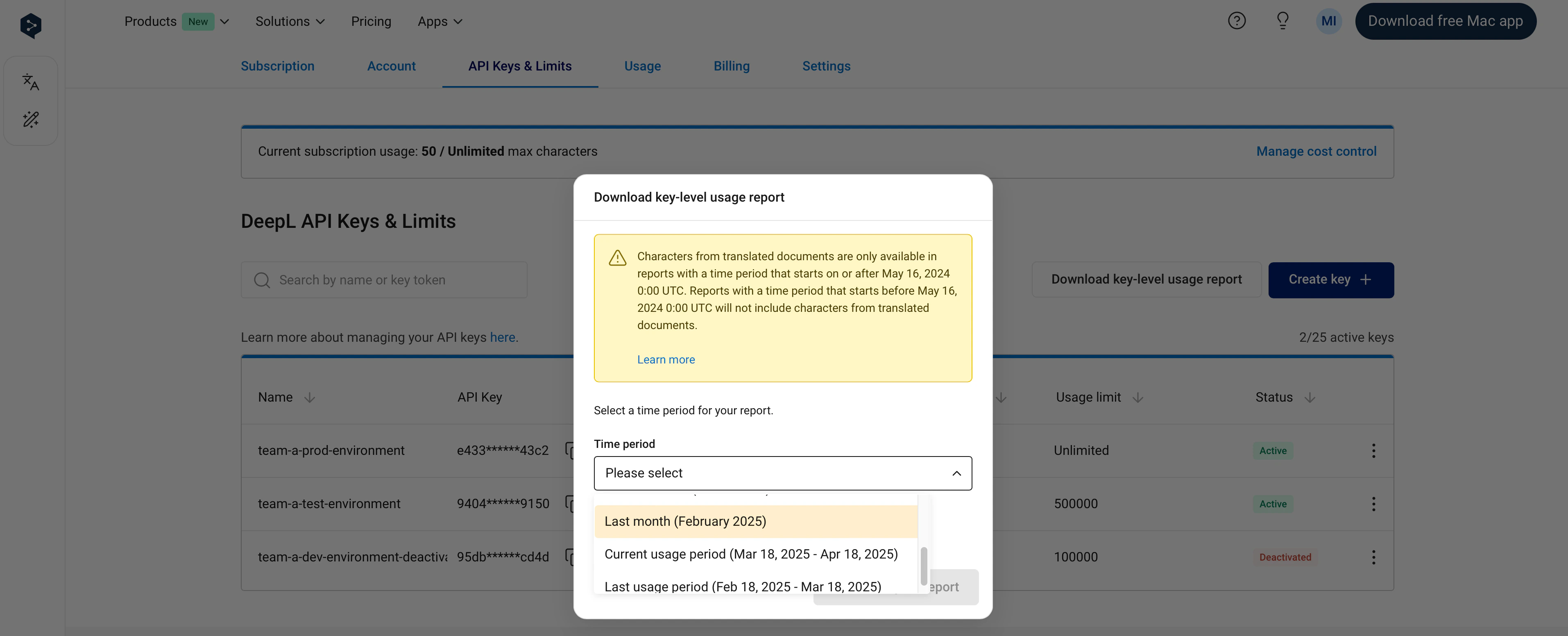
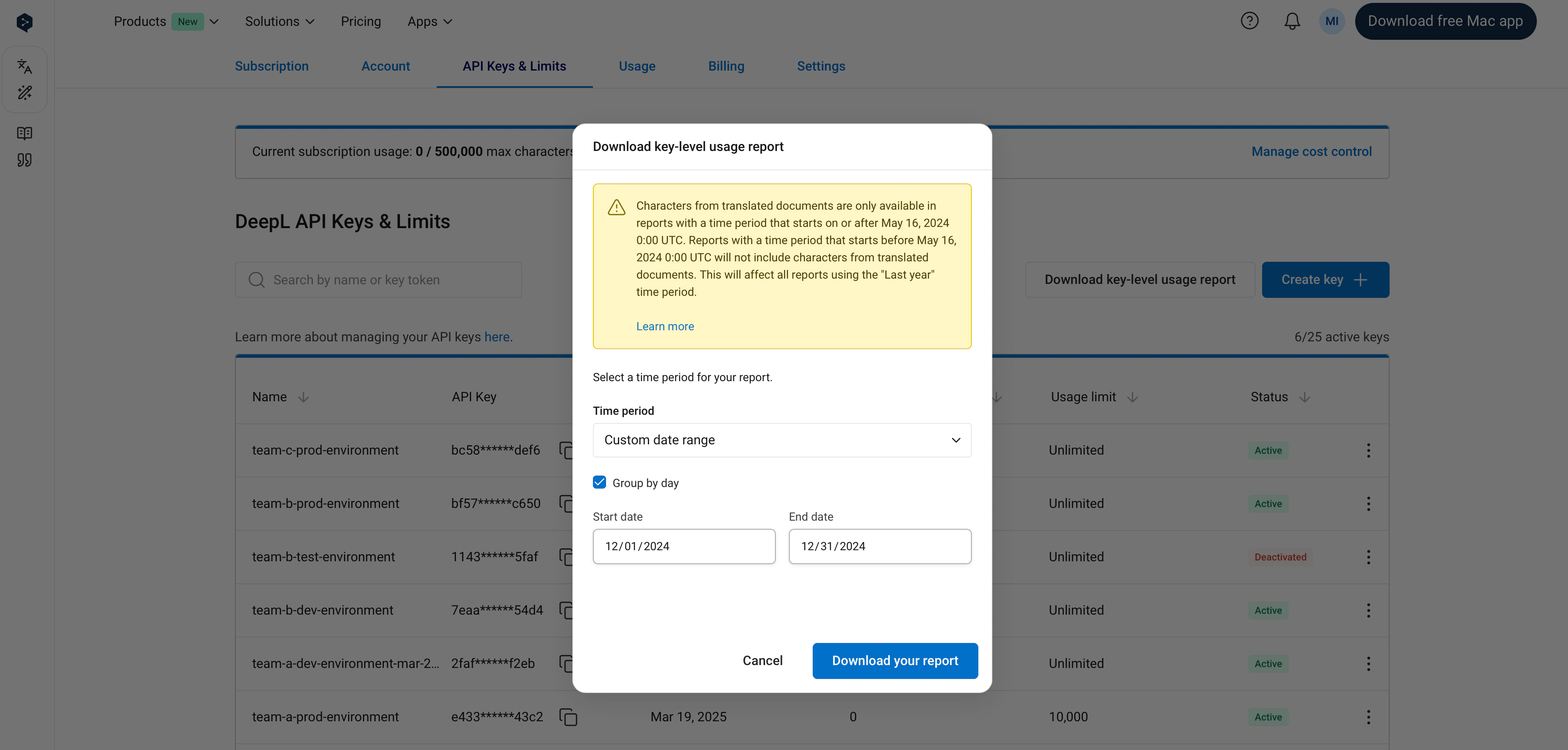
API key-level CSV export
It’s possible to generate a CSV report with key-level characters translated for the specified time period. The following time periods are currently supported. Depending on the reporting time period selected, the time period might not always start and end on a full calendar day.| Time period | Range basis | Includes current day |
|---|---|---|
| Custom date range | Start and end on UTC calendar day, up to 4 months | Depends on selected range |
| Last 24 hours | Current time minus 24 hours | Yes |
| Last 7 days | Current time minus 7 days | Yes |
| Last 30 days | Current time minus 30 days | Yes |
| Last year | Current time minus 1 year | Yes |
| Current month | Starts on UTC calendar day | Yes |
| Last month | Start and end on UTC calendar day | No |
| Current usage period | Usage period boundaries | Yes |
| Last usage period | Usage period boundaries | No |
/usage endpoint
The/usage endpoint makes it possible to retrieve a near-real-time snapshot of character and minute usage in the current monthly usage period only. Data retrieved from the /usage endpoint is typically up to date within a few minutes of the usage being generated.